Episode Transcript
[00:00:00] Speaker A: Foreign.
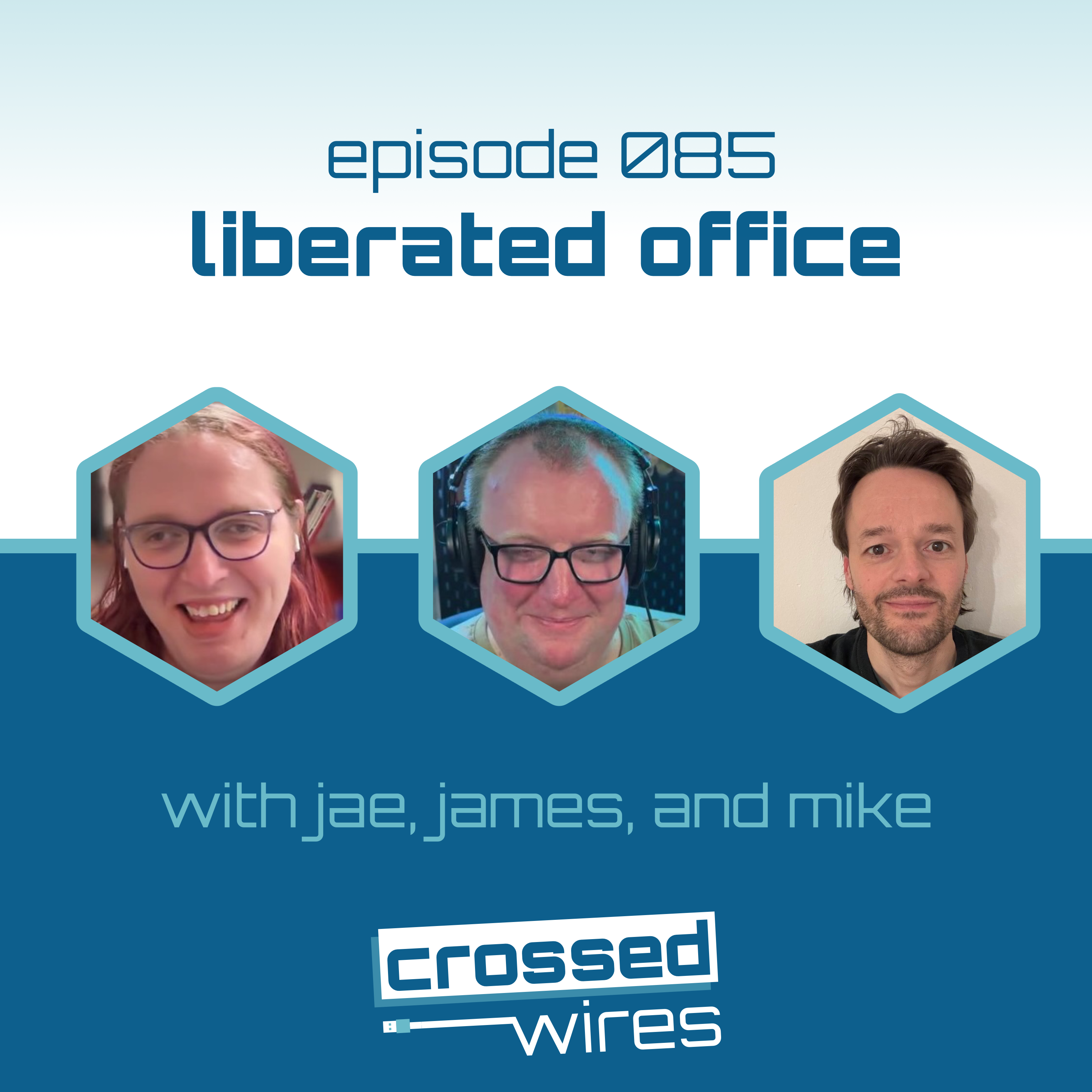
[00:00:05] Speaker B: Hello, everyone, and welcome back to Crosswires. It's James here and we have a really liberating episode for you this week.
I made that pun.
Joining me, as always, is my beautiful fiance and my co host, Jay. How you doing?
[00:00:23] Speaker A: Doing well.
[00:00:23] Speaker C: I'm. I'm trying to download my show intro, but Microsoft won't let me log into a Microsoft Word.
[00:00:29] Speaker A: So.
[00:00:29] Speaker C: Having trouble?
[00:00:33] Speaker B: You, you joke, you joke, but we're actually having that issue with your dad's iPad at the moment.
[00:00:38] Speaker C: Yes.
[00:00:40] Speaker B: Literally can't get Jay's dad logged into Microsoft Word on the iPad. I spent most, like a good chunk of yesterday figuring out how to reset his password. I will. I will tell that story later on.
Let me put it this way. Azure Active Directory Sync is a pain in the bottom.
And I've just. He doesn't use a Windows computer at the office anymore. So you know what I've done? I've just deleted him from. Well, not deleted him. Figured a clever way to decouple the sync and he's now purely Office365. It's very scary because when you do that, it deletes the account on the365. So you have to recover the account.
[00:01:21] Speaker C: Yeah.
And you know, it would be so much more simpler if we were using LibreOffice there.
[00:01:27] Speaker B: Well, that is true. And that leads me to introduce our guest. Would you please welcome Mike Saunders from the Document Foundation. How are you doing, Mike?
[00:01:36] Speaker A: Hello, everybody. Nice to be here. Yeah.
Just hearing Jay talking about logging into Microsoft Office. That, like, those words, that combination of words, like, why would you need to log into your Office suite? I mean, sure, we're going to talk about this a lot in the podcast today, but just that idea that you need to log into a piece of software to access your own data.
But anyway, nice to be here. Yeah. From the Document foundation, but also from a million Linux magazines over the years.
Linux Voice, Linux, Walmart, TuxRadar podcast. Some people will recognize me.
Yeah. But really great to be here with you both to chat about lots of things.
[00:02:14] Speaker C: Yeah, well, I mean, it goes into the fact of, like, all this authentication and login stuff.
It stops people from being able to do what they want to do. So, like, my dad is creative and does writing, and right now he cannot log in to write any of this, any of his creative writing because he's blocked by his own program.
I had a trouble at the time because a lot of colleges require Microsoft Word formatting and all that, so I had trouble getting my Microsoft Office to my school to Be authenticated.
And I had a paper due and I'm trying to get this paper done.
[00:02:57] Speaker B: And I can't log.
[00:02:59] Speaker C: It's ridiculous.
[00:03:00] Speaker B: Yeah.
[00:03:01] Speaker A: And when you pay for something, I mean, I know you can get the online versions of Microsoft Office 365 for free, but. Well, then you are the product.
But this idea of logging in and it becomes normalized for a lot of people, and I know we're jumping straight into a topic here, but it becomes normal. You don't go to a restaurant or a pub and they say, right, stand at the door and log in before coming in. You say, no, give me a table. Let me, let me. It's. It's kind of scary how that's been normalized. But yeah, that's a. Maybe a topic for later.
[00:03:31] Speaker B: Oh, no, it's. It's a good. It's a good starting point. Jay's very passionate.
I'm actually surprised that Jay's fully passionate. Like, I'm fed up. I'm fed up.
[00:03:41] Speaker C: I remember the early days. I won't name which company, but there was a company that would pass around a copy of Microsoft Office before they had to authenticate. So you had all these copies of Microsoft Office. Again, I won't say which company, so I don't get them in trouble. But it was one of those, you just don't tell anybody.
[00:04:05] Speaker B: I think every small business around the world in the, what, the late 90s, early 2000s had that CDR with Microsoft Office XP with the license key written on the disk.
[00:04:20] Speaker A: Yep.
[00:04:22] Speaker C: And you just don't tell anybody what you're doing.
[00:04:26] Speaker B: Exactly. But before we get into too much into this because we want to kind of introduce some, some concepts and things. But Mike, you obviously mentioned you be your.
I can't speak today. You've been involved in the Linux world for quite a long time. And just before the show, we were actually talking about how we can all be Linux fans. But actually, all three of us are actually.
I think Mike may be secretly. Oh, wait, I blow my secret.
You're a Mac user like us. But there's a good. But with a good reason. Mike, do you want to tell people a little bit about kind of, I guess, yourself and your foss? Oh, I love that term, FOSS Journey.
[00:05:05] Speaker A: Yeah, I mean, I'm a Mac user on this particular machine, but I do have Linux machines as well and a Raspberry PI and stuff. But yeah, I think it's a good thing to talk about because a lot of people are like that. I think a lot of people Go through a journey. I've been using free and open Source software since 1998 when I got Red Hat Linux 5.0 on a computer magazine CD in the UK.
Now I now live in Munich, but back then, yeah, I got this. I didn't have the Internet at home and I got a CD from a computer magazine. Red Hat Linux. What is that? I had no idea. Before that I was using an Amiga and before that a ZX Spectrum. So I do have a bit of a history as well. I was listening to a podcast from you both a while ago where Jay was saying she was sad to see her first mobile phone in a museum, first iPhone in a museum. I had the iPhone 3G as well. And it's like I see the same thing with my old video games consoles when they get put in video games museums. But yeah, I went through a period of everything free in open source software and that's really, really important.
I had ThinkPads, I was recompiling my kernel just to turn sound on. And these are things that are so much better now. We do complain about certain things with Linux compatibility, hardware compatibility, which is often not Linux's fault, of course. But yeah, I had to recompile my kernel to get sound in my first Linux distribution and those things have improved a lot. And I've run Linux on many, many machines over the years and written hundreds of pages for Linux, Linux magazines, loads of podcasts and I've loved it.
But yeah, I do have a. I'm recording right now on a Mac. My main machine to play around on is a Linux box, but this is Unix.
If I could show everybody my doc. It is LibreOffice of course, Thunderbird Signal for messaging, GIMP, VLC. Everything is free and open source software apps. But yeah, Apple, Apple. There are a lot of problems and a lot of things to complain about with Apple and the walled garden and stuff totally.
But yeah, you end up with a machine that has a Unix operating system very tightly integrated with the hardware.
And then I just want to run free and open source software apps on top of it. So that's my current setup. But I do have plenty of Linux toys to play around with.
[00:07:40] Speaker C: And even Apple is doing things like this year they've made Swift Open Source and actually it is now through a foundation. They've actually moved all the GitHub pages to a foundation that is not Apple owned. Apple's one of the biggest contributors to the Swift development language, but they make it where anybody can use Swift.
Apple has been working with Valve on, on Proton for, for getting games to show on, on Unix architecture. So it's part of the part is with helping Macs play better but also things like Steam decks and things like that. So there's a lot of things that even Apple, who's very close sourced, they're, they're contributing a lot to open source technology.
[00:08:24] Speaker B: Wasn't, wasn't Apple one of the biggest contributors to cups? And of course, who can forget Apple's contribution to WebKit?
[00:08:32] Speaker C: Absolutely, yeah.
[00:08:34] Speaker B: Yeah.
[00:08:34] Speaker A: Apple over the years on the decades, I guess when we're talking the company has done a lot, has contributed a lot to open source, but there were still some things where for instance the Free Software Foundation Europe is in a battle in the EU against Apple because Apple has its, especially on iOS, it's totally walled garden. Yeah. You can't install apps from a third party easily or at all on an iPhone or an iPad. And there is something called the Digital Markets act in the the EU that says no, you can't be complete gatekeepers for a platform. So even if you monopolize the platform you need to give people a way to install other applications like side loading. Yeah.
And Apple's fighting against this and so that's a situation that's not so good. So I think it's a really mixed bag. Yeah, Apple's definitely better than a lot of companies in terms of contributing to open source. I think Clang. And the alternative compilers, there's, they've done a lot there but sometimes from a business practice there's still some things that free software advocates are a bit annoyed about. But anyway, here I am.
[00:09:49] Speaker B: No, understandably so. And Mike, it's genuinely great because obviously I reached out via Mastodon because Mastodon's awesome and said look, you know, we'd love to get someone on to come and talk about it because obviously with a lot of stuff that's going on at the moment in terms of, well let's be honest, Microsoft.
But I think one of the things that I really want to talk about is how there are alternatives to proprietary software.
And there's one thing I do want to say, there are going to be times where proprietary software might be a better fit for you personally. Now for example, and almost was a scale. Right. So if I take for example everyone's least favorite proprietary photo and design suites, Adobe. Right. Closed source, predatory subscription pricing, massive lock in.
But then you've got the Affinity suite which is now admittedly owned by Canva, but it's a one time purchase and though on Mac and Windows it Would put the icing on the cake if they did a Linux version. But sometimes I think because I tried to use as much fast. Very similar to yourself obviously using. Excuse me, I can't speak today using Signal. I do use Vivaldi as my primary browser but you know, things like Orca slicer for my 3D printer, I'm using. Matt, you have so much stuff that I use it and stuff you don't even think about that is open source and it's kind of cool. But what I want to start with is talk a little bit about LibreOffice because that is.
It's kind of one of the biggest things that obviously the Document foundation do. But Mike, what. First of all, what is LibreOffice? I mean it be. We obviously we put some links in, we'll put links into shown us but it's got a fascinating history.
[00:11:53] Speaker A: It really has. Yeah, but just quickly on that point before and then, yeah, I can talk a lot about Leap Office, but yeah, there are some people who will only use free and open source software out of principle and I respect that. Understand it. Years ago I met Richard Stallman and he had this tiny, tiny netbook laptop with him. I'm talking like 15 years ago or so. But it was the only thing he could find where everything including the BIOS had no binary blobs and everything was free and open source. But Richard Stallman was a bit of a bigger guy and to see him using this tiny tiny laptop, it didn't seem. I know he already suffered from finger problems anyway, so this was years ago anyway. But like very pure about his idea of using only free software. But yeah, I think in the real world you end up taking some other things into consideration and we have this as well in LibreOffice. So before I talk a bit about the history of the software, we have the LibreOffice social media accounts on various platforms, including X or Twitter, which is very controversial and understandably and a lot of people would like us to get away from that platform. Understandably.
But do you go where the users are? Do you. If all of the other Office suites are on X, do we want to be the first out of principle to leave X? You could argue so, but are we then going to miss a massive audience? So these are all the questions that go around like yeah, that balance of. Do you use a bit of proprietary software here if it really makes sense sometimes or do you be completely pure like some people, which I understand.
So it's difficult to find the balance and we'll talk about that a Bit later. But yeah, LibreOffice, pretty much every Linux user knows about LibreOffice. It is the successor project to OpenOffice. OpenOffice.org, which was the successor project to Star Office, which was a proprietary office suite in the 1990s.
But yeah, it is the second most commonly used office suite available now.
And yeah, the name OpenOffice is still really, really big.
We see people recommending OpenOffice all the time. But OpenOffice, OpenOffice and LibreOffice, there was a big fork, a big split about, again about 15 years ago OpenOffice was in Sun Microsystems and then Sun Microsystems was bought by Oracle and there was a big hoo ha about what will happen. And then a bunch of people in the community, OpenOffice Community said, let's move this software to a free independent nonprofit foundation, the Document Foundation. Let's get it out of the hands of any one particular company.
Because under Sun, OpenOffice did pretty well in those 10 or so years. Lots of people using it, it was in every Linux distribution, it was free and open source software, it had a community. But do you want everything to be under the umbrella of potentially under the control of one big company? So in about 2010, the open office community back then said, right, let's move this out, let's move the community, let's move everything into an independent non profit foundation. And they chose Germany to base this foundation, the Document foundation, for a bunch of reasons, some of them historical. Open Office and Star Office started in Hamburg in Germany as well. Germany is a good place to start a foundation where you've got all these rules established, sometimes too many rules, German bureaucracy. But you can put all of these things in place to say, right, we have this, this is what you can do, this is what you can't do. Nobody can buy us, nobody can try and take us over.
You know, we'll have distribution of powers in the different bodies of the foundation. So let's make an independent foundation and then to look after the future of Open Office, which they called LibreOffice. And that's kind of how we got into the situation we're in.
Since then, pretty much every Linux distribution switched over to LibreOffice. OpenOffice moved over to the Apache foundation, but its last major Release was in 2014.
No big update of OpenOffice since 2014 and since 2023 all other updates have stopped. It now has unfixed security holds.
It is pretty much completely abandoned. Nothing is happening. The only source code changes are people tweaking code comments and Stuff pretty much a couple of other things. But yeah, OpenOffice is pretty much dead and everything has moved to LibreOffice and now we estimate there are around 200 million LibreOffice users in the world. We don't track anybody so we can't say exactly but we estimate that of course the vast majority are on Windows. So that goes back to what we were saying. You know Windows, it sucks and proprietary and it's just a pretty awful system to work with.
But it's where the vast, vast, vast majority of our users are. We could say out of principle let's not make any Windows builds to move people to free software like Linux. But do you win anything at the end of the day with that? I don't know.
[00:17:13] Speaker B: I don't think you do because it's very different to ask someone to change their Office suite than it is to say you need to change everything that you do.
I'll give you a really good example. My dad is he's Windows user through and through, has been his whole professional career. That's not necessarily tech savvy but he was very much an officer, you know, user but obviously when he got his most recent laptop which I helped him pick out. Do you know honestly the only bad experience I've had with batmarket.com every other time I bought a ThinkPad because for friends and family while I don't necessarily like some of the stuff they're doing, they're bowing down to the whole copilot stuff. The non co piloting machines are brilliant Somewhere I think Jay still got my, my ThinkPad 270 somewhere T270 I think you still got somewhere and I think that's running popos.
He said oh you know the Microsoft officer. No, no, no you don't. I'm going to put LibreOffice on. You'll be able to do everything and even if you need to share files and we're going to come to this, you can still do it. So we've kind of mentioned Mike a few things already obviously. What, why do we need an alternative? What? Why do we need what's wrong with Microsoft Office? Well you know surely we can. Everyone can afford a copy of Microsoft Office or pirate one. Well I didn't say that.
But why an alternative? What's wrong with Microsoft Office?
[00:18:49] Speaker A: Yeah, it is a good question because this is what a lot of people ask. A lot of people. We in the geek scene and tech scene we see things differently. We talk about things like tech monopolies, the behavior of Microsoft over decades and stuff. But for the average user it's like, well, I click this button and I can type a letter. And if I try and tell an 80 year old lady here in Munich who just types letters that you need an alternative office suite, she would say, just leave me alone. So the arguments for this have actually changed quite a bit over the years. If you go back 10 years ago, it was more about price.
Not for me, but for most people we know free software is about way more than, as they say, it's not about free beer, it's freezing freedom. But if you go back 10 years or 20 years ago, everything was about most things were about price. The biggest benefit for most people was you don't have to go to the shop and buy for 200 pounds or euros an office suite. You just get this office suite for free. And that was really the biggest benefit.
Now things are changing a lot. The most recommendations that we see for Leave Office on social media, especially from tech influencers, is because LibreOffice is private, because LibreOffice is offline, because LibreOffice doesn't require the cloud or a subscription. Or as Jay said earlier, logging into your word processor, like those words just trigger something. The idea of login. So these are the reasons now why people are recommending LibreOffice.
Nothing to do with the price. It's really, really interesting because you can get Microsoft Office more or less for free. They hook you in and then of course you're locked in.
So something may look free. People in free software always give the example of drug dealers. Yeah, your first hit is free. So if you're in a place with lots of drugs and stuff and the drug dealer gives you a hit. Wow, they're cool. This expensive drunk. Oh, he's giving it for free. No, you will be hooked forever. So getting Microsoft Office or 365 for free just means you're going to be locked in probably forever. So yeah, so the perception is changing the important things. Why do we need an alternative office suite? Do you want to be beholden forever to one company in one part of one country? It doesn't really matter what country that is.
Controversies about what's happening in America aside. It could be from Bhutan, you know, but should, should you be completely tied into that one company from one country? No, I don't think so. Not in a, in a global world.
Do you want to know what's happening with your data now?
We can never be sure with cloud platforms and data being used to train AI engines and stuff. You don't really know you can look at license agreements and privacy agreements, but ideally you just have everything on your own computer and then things being forced on you as well. So, AI, which I guess we'll talk about in a bit, copilot, you've both mentioned already, just pops up helpful, supposedly. Helpful.
Telling you what to write, telling you how you should write something. Well, that can be scary in many ways.
[00:22:15] Speaker B: So.
[00:22:17] Speaker A: Yeah, why do we need an alternative Office suite? It's always good to have an alternative to most things anyway. Freedom, variety, diversity, university.
You don't want a monopoly. I can't think of any good example of a monopoly.
But looking at the way the world is and looking at the way tech companies behave, a lot of people want basically to do their work like they've done for decades, but with an office suite that's not trying to sell them subscriptions. That doesn't mean Leap Office doesn't need to improve and modernize.
But you have people saying, oh, I just want to work like I did in the 1980s with WordPerfect. We can't do that. No, but there is. There is definitely a need and a demand for software that just leaves you alone. Maybe that's. Maybe that's what we should have called it instead of free software, Open source software that leaves you alone.
[00:23:13] Speaker B: I like that term. I do, yeah. And it is very.
Excuse me. So it's very interesting, someone who, you know, I'm. I'm 41. I grew up with, you know, the very offline versions of Microsoft Word with WordPerfect, when Corel owned WordPerfect with. I mean, even going back, it's interesting you mentioned an Amiga. My first computer was an Amiga 600. I've mentioned it so many times on my show. I have a 500 in a flight case of. Out in one of a. In my closet in my lounge, which I want to work on, and randomly.
I know there are word processes for this platform. I've never used one, but I'm going to be trying this. So when I was up visiting my parents recently, I haven't. I've announced this on socials. I haven't announced it, but sure. Very kind friend. I helped her, his mum get set up on her new iPhone. Well, he said, oh, you know, you're into retro. I've got something, I've got an old spectrum. I'm like, oh.
He said, you can have it. I'm like, yeah. So I picked it up.
Turns out it wasn't exactly what I was expecting. It wasn't the 48k, was it? Even the 128k it was a spectrum plus three.
[00:24:29] Speaker A: Oh with the actual disc drive?
[00:24:31] Speaker B: With a three inch disc drive.
[00:24:33] Speaker A: Yeah, yeah, yeah. I think those discs are really hard to come by. You can find Spectrum cassettes everywhere.
I have a load of those also at my parents place in England. But um. I also me or my brother somewhere picked up a plus three from some flea market years ago and. But I don't think that sold many. The Plus 2 was everywhere when Amstrad bought. Bought Sinclair and. But.
[00:25:00] Speaker B: Does it work?
[00:25:01] Speaker A: Have you tried it?
[00:25:02] Speaker B: So it works.
I had a nightmare getting it onto a tv because 15khz scart RGB is full on modern LCDs. So found the one tv my parents place it still had an analog tv tuner.
Got it tuned in that way.
It does still work. I haven't been able to test a floppy drive but I am looking at. And it's going to be something we do on stream. This is completely aside but. But we'll be. It's. There will be word processors for the speccy.
I am going to get the.
I think there's a HDMI adapter you can plug into the back of the interface port and then I'm going to get one of a divmmc things to run software off an SD card.
[00:25:48] Speaker A: That's so cool. I watch some speedrunners speedrunning N64 games like Mario 64 and in many cases they want to run on CRT displays because the latency is so low and of course it gets harder and harder to find a CRT display now.
So yeah, I don't really know what will happen to Speedrunning when all the CRTs pop.
[00:26:13] Speaker B: Oh gosh, yeah, absolutely. But looping back to LibreOffice I am a big fan and I think one of the experiences I've had is obviously it's free, it's as you say, it's Ubuntu you install. So I did a clean install Ubuntu on a. And an old Dell.
Okay, I've got to admit I've got to tell something. You know what you were saying about having to like get things working on Linux?
Well, I thought I was in that situation with that machine and I think this is a really. I want to just say sometimes it's not a Linux problem, it's a pebcac. It's a definite problem exists between keyboard and chair.
So this machine had previously been set up but then never got used it being set up on POP OS so it was a good minded security person for it's never going to reconnect. I don't know where it's actually going to. Turns out it was still taken back to my sister's and just left there. So I blocked the Mac address on my parents WI Fi.
Well, fast forward, try to get it up and running again. Because my dad had forgotten the encryption password to the drive, so wiped it, got it back up and running after we did a few upgrades to it.
Just would not join my Wi Fi. Oh, it's gotta be a Linux issue, you know something wrong. I'll try a different distro. Try, you know, go back to LTS to see if that's the issue. Nah, because I blocked it obviously it just would not join the network but it looked like it was a WPA failure.
So yeah, just check that you haven't blocked devices, folks. Sometimes it is a lot simpler than you think.
[00:27:50] Speaker A: How long did it take you until you. The light bulb appeared above your head and you were like, right, hang on.
[00:27:55] Speaker B: It might be that at least a day.
[00:27:59] Speaker A: I was just thinking, I can imagine you like installing not just Linux thinking, well, it just doesn't work with Linux some reason like reactos or Haiku or something. I need something that works with RISC OS or something, if it's even possible.
[00:28:13] Speaker B: Do you know, I didn't think. I didn't quite do a action retro. I didn't go Haikyuu. I should. I should have done Haikyuu on it or something. But yes, no, that was embarrassing. But the point I was going to make is straight out of the box there is LibreOffice.
So. Go on.
[00:28:31] Speaker A: Jake, did you want to say something?
[00:28:33] Speaker B: Oh, it might. She. She's at work, so she might. It might be someone wanting to come in.
[00:28:37] Speaker A: Oh, of course, because she's in America. Yeah.
[00:28:39] Speaker B: So she's actually at the store.
We're having some stuff fitted today, so we're having some new hardware installed.
We're in digital signage installed at the store store today, folks.
[00:28:50] Speaker A: It's a lot of fun. That's pretty cool.
[00:28:52] Speaker B: Yeah.
[00:28:53] Speaker A: Yeah. Well, yeah, kudos for being in a podcast and working at the same time. Yeah. LibreOffice is the pretty much standard office suite in Linux distributions as well. And it's a tool that.
It's kind of just there for many people. It's not exciting and that's arguably the way it should be. We have requests from people saying LibreOffice needs to be exciting, LibreOffice needs to be different. LibreOffice needs a radically new user interface.
Yeah, people look at what Apple is doing with Pages and their apps, which are very pretty and very simplified. They've arguably simplified the workflow, but we have millions and millions of users who expect things to be in a certain way. And this is a massive challenge for many, many software projects, free and open source software as well. So you have users who say, look, LibreOffice, why do you look like the 1990s?
Which is not always true because when you install LibreOffice, it defaults to the menu and tabbed user interface. But you can switch to a tab to user interface as well, which looks a bit more like Microsoft. So that's not the default. So people assume LibreOffice can only look like something from the 1990s. But then we tell people, look, click here and you can get a tabbed user interface, which is a bit more modern. But then people say, yeah, but you need to revolutionize the Office suite.
Okay, that's an interesting point, maybe we need to do that. But do we want to leave behind millions and millions of users and then it's those millions and millions of users who are donating to keep the Document foundation alive. So the Document foundation is the small nonprofit Stiftung in German foundation that was founded in 2012 just a couple of years after the LibreOffice project started to oversee the LibreOffice project and community. And it has a big bunch of rules that applies by very German, but to basically say it's non profit, it's independent, it's not there to develop LibreOffice itself, but it's there to support the LibreOffice community so that LibreOffice can survive, so that the infrastructure is there, that there are people there overseeing documentation and QA and stuff like that. So we always say we at the Document foundation, we are not the developers of LibreOffice because there are hundreds of people involved in LibreOffice, but we are there like the kernel, to coordinate activities, to keep the project alive, to maintain the trademarks. So not everybody can run around and say, oh, this is LibreOffice and a bunch of administrative stuff as well, and a lot of infrastructure because you have translations.
Yeah, the whole Bugzilla interface, continuous integration, lots of security stuff, that all comes from our side. So yeah, but how does this exist? How does the whole foundation exist to support the community? Through donations. And 80%, 85% of the income of the Document foundation is from donations from end users, people who go to the website, download Leap Office. And when you click Download while it's downloading, you get a, a page saying you can donate if you like, so that's where the donations are coming from. If we radically change the LibreOffice user interface to be completely new and modern and trend setting or however you would define it, what happens then? 10 million users say, 100 million users say, I don't want to use it anymore, I'm going to use OpenOffice. Oh man. Hopefully not. But then you lose that revenue stream. So this is why it's really, really difficult for us.
You have to change, you have to adapt, but some things just work and you have a lot of people donating to us who just like the stuff we do and don't want radical changes.
[00:32:53] Speaker B: Which makes a lot of sense. And you know, again, it's a consistent interface.
I've literally got Writer open up now and it's so clear and consistent and I'm using, obviously I'm a dark mode fiend, I'm using the Breeze SVG theme. There's a lot of customizability and it's really, really nice. Now when we talk about LibreOffice though, I just want to clarify one thing. LibreOffice is obviously a package, it's a whole thing. But it comes obviously with Writer, which is a word processor, comes with Calc, which is by the way, great name for a spreadsheet, Calc that just does what it says on the tin, right?
Impress, which is your PowerPoint, your presentation tool, Draw, you've got a dedicated math formula tool. And then the thing now the thing that obviously you don't even get in the standard version, in fact you don't even get in the Mac versions of Office is database. So you've got the base database because Microsoft Access is Windows only and is only in my higher end versions of Window of Office.
So you've got all of this and I guess the question to ask is, but what about all the documents I work with? What about.
And there's two aspects to this, right? There's, oh well, you know, my, my teacher or my, my employer sent me a Word file, can I open it in.
Or an Excel file, can I open it in LibreOffice? So just to, can we clear up a few myths that in terms of compatibility, because I think that's before we talk because I want to loop back to the whole control of your data and the privacy aspect because that is really fundamental for me. But can we clear up some misconceptions about using LibreOffice? Because I think that's really important to address.
[00:34:54] Speaker A: It is, yeah.
And also the misconception that a document has to be doc.
I saw Recently. When I say recently, I mean two years ago. You know how time goes. But the Open University, which I would say is a UK thing, I think, think it's nonprofit. I'm not exactly sure about the funding. James, you might know a bit more, but they had files on their website in dot DOC format, not even docx, which I'll talk about in a minute, but in Doc, Microsoft's completely proprietary binary format. Open University in the uk, the idea is open for everybody. Yeah. And to educate, to give everybody the opportunity to improve themselves and all really good stuff.
And somebody sent us a picture, screenshot, a link, I can't remember but saying, look, the Open University, the United Kingdom, which I think has public funding as well, is giving out documents in Doc or asking for documents in dot Doc. And that then just becomes established as the normal thing. Oh, a document is Doc.
And also the extension doesn't help as well. So this is a big problem. You have doc, dot and Doc files are binary, mishmash, blended messes of bits of data that are very, very hard for the Office suites to read.
And some people could say, well, that's what happened 20 years ago. Every piece of software was saving its documents and files in a different format so software couldn't work together. Fine.
What happened then, more recently? Well, you have DocX from Microsoft. So Microsoft created their next format, OOXML Office Open XML, where they said, look, everything will be documented. Other Office suites can use it. Everything is xml, like when XML was really big in trend. But there are two types of ooxml. That's the really strict format, which is technically documented, which technically other Office suites can use with some problems. But then there's the transitional format, which is what Microsoft Office saves in normally.
So in the transitional format, a Docx file is full of weird bits of cludge and a bit of binary data here, a blob of data there, some weird stuff that says, render this paragraph, like Word 1995 on Mac OS, whatever.
So you have all these Docx files, which are supposedly open XML files, going around the vast majority. And the people say, well, why can't LibreOffice read them?
Yeah, well, LibreOffice can read them. But why does this paragraph, why does something look different in LibreOffice than in this in Microsoft Office or Microsoft 365? Because these files are full of clojures, binary blobs, weird references and things like that.
That makes it very, very difficult. And it's worth noting that you can do comparisons of Microsoft Office files in different versions of Microsoft Office on different platforms and they look different as well.
So when people say, why is LibreOffice not 100% compatible with Microsoft Office?
There are reasons like one of them I just explained. But Microsoft Office is not 100% compatible. Depending on the fonts, depending on the operating system, depending on the version, documents can look slightly different internally to Microsoft. And I guess they don't do that deliberately. So they are fighting their own messed up, complicated file format that even they can't.
So what we say to people now is use what you want. I mean, nice if you use Liboffice, but what's really good is to use the Open Document format. That's the standard format of Liboffice. But it's not a leap. It's not the Liboffice format. It's a separate independent file format managed by Oasis, a different standards body.
And plenty of organizations have standardized on it already. The UK government, and I'll send a link, has standardized five years ago or more on odt. It doesn't mean they all use Microsoft and they have other problems, but they say internally we should use ODT so that if they put a document on the UK government website, it will be in odt so everybody can access it, including Microsoft Office users, because Microsoft Office supports odt. So Microsoft formats are very, very difficult and messy, which is why Liboffice does, I think, a pretty good job supporting them. Maybe it could do better. And if anybody has a problem with the Microsoft Office document, they can submit it to our bug tracker and then we can look at it and try to improve. But it's a bit of a.
It's a battle that you're constantly running behind.
What would be better is everybody uses the same fully open stand ice format and then let's compete on features. Yeah, if we're all using ODT and people want to use Microsoft, then, well, that's up to them. But at least if we all get behind a standardized format, then at least we're sharing the same data and then we use the software we want based on features, not on these quirks of compatibility.
[00:40:19] Speaker C: That was one of the reasons why, for instance, when I was in college, I used Word because I was afraid of using anything because James a few times said, hey, you should use LibreOffice. And I was like, I was afraid of sending something that would possibly not be read by a professor in that because I've had professors be very particular with what they want. And it would be nice if I could if the universities would move to Open Document format because that way students could write on whatever device that they need to use.
[00:40:54] Speaker A: Yeah, yeah.
And it is that fear as well. Or I've seen. I think that's a particularly good example that Jay mentioned because also people who are submitting documents when they want to get books published.
So, you know, you're a new writer, you're desperately trying to get your first book published, and your publisher says, please send a. Docx file.
Well, okay, do you want to send it written in LibreOffice or do you want to send it written in Microsoft Office?
If you have a bit of fear that the document might not be accepted or might look a bit weird, you might think, well, I better use Microsoft Office just because it will have the perfect Docx compatibility, even though you may rather use Liboffice. But that fear, oh, well. And this is what brings people back and this is how the system works. And it's quite scary, actually. But that's how you get vendor locking. So, yeah, Jay's example or the example from publishers as well, well, we all use Docx, so please use the real Docx software, whatever that means. But nobody wants to be the outsider saying, no, I'm doing it my way. When you risk, yeah, not getting your university degree or getting a job or your book published or whatever.
[00:42:14] Speaker B: And it's really interesting for me as well is, you know, for a number of times, like, you know, you applying for a job and the application form is a Microsoft Word file. So, okay, fine, it opens, but, oh, gosh, all the formatting's gone. And that's not, by the way, that is not just a, as Mike mentioned, that's not just a LibreOffice or even Apple Pages problem.
I've seen it on Word for Mac, you know, Word on my Mac, I've seen it if you're trying to use a web version.
And it is frustrating to say the least. But the other thing about why I think Microsoft have such a lock in is because now, and especially, I think this translates into kind of a control of your data. Because what do we now all associate when we say Microsoft Office? What version do we. And I'm going to put this out to both of you. What version do we automatically assume when we talk about Microsoft Office now?
[00:43:16] Speaker A: Like, I don't even know. What if they have a version because everything is rolling subscription.
[00:43:24] Speaker B: Exactly. Yeah, exactly. If I said, Jay, what about yourself?
[00:43:30] Speaker C: I was thinking the same thing because I used to have a personal365 and like, I have one that I use for work, but for a long time I didn't have Microsoft Word. It was only provided either by myself or by my school.
[00:43:44] Speaker B: So whereas we used to say, for example, Word 2003 or Word 97, now we just say Microsoft Word because as Mike and Jay both said, it's now all rolled up. It is much harder now to buy a standalone license for Microsoft Word or indeed Office. In fact, I don't even think you can buy just Word by itself anymore.
[00:44:11] Speaker A: I think there are some very specific channels you can go down and I think you have to be a company or something where you can get a standalone version of. Yeah, because one thing Microsoft does pretty well, I would say, and this is also because they have a lot of vendor lock in, is they do support companies who are using really ancient versions of things. So they, they are really trying to push everybody onto the subscription model. Microsoft 365, no version numbers, you are here forever, that kind of thing. So I'm not praising them for that, but they do have a lot of business customers and they do.
So you have big, big, big businesses saying, look, we still want to pay for Microsoft Office licenses. We still want to have the software delivered on a DVD or USB key. I'm not joking. People ask this to us. Can you send us a dvd? Can you send us a USB key?
And Microsoft, I think, is savvy enough to still support those big, big customers, governments, giant enterprises who are not publicly saying anything about it, but they go to Microsoft and say, look, we're not interested in this365 subscription plan. Send us, literally send us via a secure download link, Office 2025, that we can click an MSI file, we can put it on our computers. So fixed versions of Microsoft Office, I think, still exist. But they do, they're not available to your average user like us.
[00:45:39] Speaker B: No. And, and that means, then it goes back to that whole story at the start is if your lie, if your license to use software is tied to a subscription, what happens when you get locked out of that subscription because you've forgotten your password or you've stopped paying for that subscription or you have too.
[00:45:59] Speaker C: Many, or you have too many devices on that one subscription?
[00:46:04] Speaker B: Yeah.
And to me, I should never. Okay, let's be honest. Okay, where 365.
I'm not a huge fan of 365, but where it does well is by integration or your email. Yeah. Okay. Microsoft Outlook is a horrible piece of garbage and the Exchange protocol sucks and doesn't play nice with much, much stuff.
But if you are a business and you, you, you know everyone knows how to use Mic. I think almost everyone knows at some point how to use Microsoft Outlook. If I put some of my colleagues at work and certainly some of my IT support customers in front of Thunderbird, which is a great mail client, they would struggle.
But then Microsoft have a whole lock in with OneDrive with you know, with teams and now with Copilot though that gets very confusing because you actually have to pay more for all the Copilot features that are baked into the apps.
It's not like on by default you have to pay extra for those if you're in a business.
It's very ridiculous how it's all set up but there is an integration piece. But to me, and I think this is where I want to be clear, LibreOffice as far as I'm aware Mike has there's no cloud integration, there's no AI, there's no services baked in.
[00:47:32] Speaker A: That's right, yeah. I think that's some things we can say are openly are it's a bit lacking for what enterprises want. So yeah, LibreOffice does not include an email client and the reason for that is resources.
We're a community run open source project, we have an ecosystem of commercial developers around but you know, they do what they they can focusing on their customers, improving the software for their customers. But creating an inbuilt email client from scratch would be a lot of work. We could arguably try to roll in another free and open source email client into LibreOffice because it is a missing component. Definitely that's what a lot of people expect and it makes sense in an office environment. So I think we can openly say that's something where LibreOffice could be better.
But yeah, time, resources, money and yeah so Thunderbird is a very well known free and open source email client as well. I use it every day. I think it's really good. It has its quirks as well.
But it's a completely separate app making it fully seamless. With Leap off it's not easy as well. So I think it's fair enough to say this is what Microsoft may offer out of the box that looks better but you have then people integrating these things together like in nextcloud for instance. Nextcloud I think does a really good job of mixing these components together, offering something like Microsoft does. So and again when I'm talking about the nice usability things that Microsoft Office may have, the most important thing for me is the freedom, the freedom to use the software that we want. So I would rather this is what we Talk about it's more important to have that freedom and control than the nicety of having an email client directly built into your Office suite. So that's a nicety of Microsoft Office. But we think other things matter more, your control over your data and stuff. But yeah, we live in this world. We are in this world where, yeah, cloud sharing possibilities.
This is something else again that nextcloud I think does pretty well.
It's not something you can easily just click and buy in the same way like Microsoft or at least it's a bit more complicated.
But, but it does exist. It is out there. And then AI integration is a big topic.
A lot of people who recommend Leap Office today, including like tech influencers and stuff, they recommend LeapOffice because it doesn't include AI. So they have all been forced onto Copilot and it's so in your face that like the old Microsoft Paperclip, yeah, you start typing something and Copilot says, do you want to do this? Do you mean that?
You know, which is like leave me alone to just write something. People try to write books and write historical, historical texts as well and they say, oh, you can't talk about that. It's like I'm just writing historical texts, like leave me alone to just do my work.
So yeah, there is a demand for AI. There are some use cases for AI, but we in the Leap Office project said we are not, we have no plans to roll that into the software.
Anything we do will be an optional user extension and they do exist. You can get extensions for the Office that use local LLMs like I think Ollama things like stable diffusion, you can get them but we don't want to put those into the software itself because we still want to be the 100% privacy focused office suite.
[00:51:29] Speaker B: And I think that's really important. And the fact that you've got extensions and I'm just looking at some of the extensions now.
You know, you've got, you know, here we go, a local writer, a LibreOffice lighter extension that adds local inference, generative AI features.
You then get to control that, right?
[00:51:48] Speaker A: You do, yeah. The problem is, and this is typical of a lot of stuff in the Linux and open Source world is that you have to put it together yourself.
So it's really, really cool when it works, when you get everything together and then, you know, you're not sharing all your data with these tech giants and they're not trying to twist your words or everything is local.
But yeah, it requires installing bits of this, bits of that.
Which the vast majority of people don't want to do. So the kind of holy grail to this would be be not providing AI out of the box. I think giving users the option to do it for local stuff, everything local, and then making it like a couple of clicks away. And that's a big challenge, but it's something we're looking at, something we hope.
[00:52:37] Speaker B: To achieve, which is really cool. And you know you talked mentioned nextcloud because we as you probably, I guess probably noticed when we sent you a show notes.
[00:52:50] Speaker A: Exactly.
[00:52:50] Speaker B: That is nextcloud. Yep, that is nextcloud. And in fact what's really cool about that you mentioned it's not as easy to get it to buy it. Well, we used to run our own NextCloud server and still do. We're actually in the process of migrating, but Hetzner have recently started offering, they call them their storage shares, I think.
Yes, storage shares.
And it's basically nextcloud run by them, managed and maintained by them, but with all the features. The only slight challenge you have is that they can't run the. Is it Calabro Collaboro.
[00:53:29] Speaker A: Yep.
[00:53:30] Speaker B: They can't run that service. So you'd have to run your own server for that. And that obviously is. I believe that's based on. Partly on or that is basically LibreOffice, isn't it?
[00:53:39] Speaker A: It is, it's LibreOffice online from one of the big ecosystem companies that does a lot of development for Leap Office and then self support and other services around Leap Office, like online and stuff. So they've done a lot of good work over the years improving Leap Office doing the online stuff. A good example of how an ecosystem, commercial ecosystem can survive around free and open source software.
But. Right. Hetzner doesn't make that available.
[00:54:11] Speaker B: No. So you can run it yourself. I think there are some providers that will give you a code code server. You know, we collaborative. I think it's development environments and for like that. I can't remember off the top of my head, but that's a terabyte of storage. They give you for about 5, 5, 6 Euros a month.
[00:54:30] Speaker A: Right. That's actually pretty good then. So yeah, these, these smaller plates are, are starting to provide these alternatives then because I didn't know about that one. So yeah, I guess you can get these equivalents when people say oh, you have to install everything manually like I just said, it's good to see some players actually making that available then you still have the similar problems with compatibility and so people saying I can't Share my files. But I think you see in the EU a big push towards digital sovereignty.
So a state in northern Germany has said we're moving to LibreOffice and Germany's 80 million people. So that one state alone, I don't, I don't know the population off the top of my head, but it's, it's like many millions of people, several million people.
Denmark, they're talking about moving to leave office as well, because some things become really important beyond just, oh, well, you have an email client built in or you know, this nice copilot thing to chat with and help you or annoy you, whatever, but actually digital sovereignty. And without diving into the politics of it all, but I think people are seeing when you become dependent on a company from another country.
So in this case, obviously it's Microsoft in the us but it could be hypothetically, any country, any country can change at any point. Yeah. So you could be dependent on software from Japan and then something crazy happens in Japan. So yeah, I think people are starting to see that. People are starting to see what is. Are we willing to take some trade offs? Are we willing to use software that may not have an email client built in, but we control it in the sense of we know what it's doing, we can look at it, we can inspect it.
And I think that's clear, that's becoming more important because office suites are becoming a commodity. Anyway.
When we go back, what we said earlier in the podcast about buying, going to the shop, buying a CD or DVD or having Word 2003 or whatever, those days are long gone. People just expect there'll be some kind of office software for them somewhere.
So the, the discussion is moving from oh, how do I get office software for free? To what actually is happening? Where is my data?
Who is looking at it?
What is the future of my data? Where is it being stored?
[00:57:04] Speaker B: And certainly when you look at services again, Google, Google being a very popular tool for businesses where everything is basically online. Google Sheets, Google Docs.
Well, what's happening with your, you know, your book that you're writing in Google Docs?
How do you know that Google aren't doing something with that?
[00:57:26] Speaker C: Yeah, feeding it to Gemini.
[00:57:29] Speaker B: Exactly.
[00:57:30] Speaker C: And I have to laugh. I was looking in the extensions library for LibreOffice. It's an Office 2003 blue theme. So if you have somebody who doesn't want to switch off of the Office, just install the Office theme and they're all good.
[00:57:44] Speaker B: Oh gosh, I remember that theme. I remember that theme very vividly. But it might well be that actually that's a benefit. You, you joke, Jay. Right. But Mike used the example of an 80 year old woman in Germany. Well, I've got a wonderful client who is also 80 who is coming back into learning it now. He, because of the nature of the work he does, he's very much in the 365 world.
But it is confusing. Word is bloated, you know, having to do all the different document templates and trying to explain sharing and things like that. But the bet, I think the best thing for me is that if you use the open document format. So OD, I think, is it OD. ODT for text. ODs, am I right?
[00:58:33] Speaker A: Yep. ODs for spreadsheets, ODB for presentations, ODB for databases. Yeah, yeah.
[00:58:40] Speaker B: And you use those. Well, it then becomes agnostic to what syncing technology you use. You could be using, you know, nextcloud doesn't have to be on the public Internet. You can just do it on your own network. You could use syncfing, you could use iCloud.
[00:58:58] Speaker A: Dropbox.
[00:58:59] Speaker B: Don't use Dropbox, folks, please don't use Dropbox.
[00:59:04] Speaker A: But the idea is sound. Yeah.
Standardize on a real, open, standardized format and then use the tool that you want. So you may want to use a very simple editing tool or you may want to use.
Because we know that people use word processors basically as graphic design packages.
You must have both seen this so much. And I saw it recently I went, I was visiting a school here in Munich and they were using Leap Office. I was excited and they showed me some documents they were making and in order to center text on a page, they were literally tapping the space bar to push text around.
Like, you know, this is. You said, James, I know you worked in like tech support stuff, so you've probably seen this a million times. But for me, like I'm a total geek, but I try to also be in touch with how people use software.
But you know, at least there's a button on the toolbar to send to text and see people that space, space, tap, tap, tap, tap, tap, tap.
So yeah, that's. You have this whole class of users who basically use a word processor as a layout tool.
And then that's a nightmare when they send a document to somebody else.
Even in open document format, which is very nice. But when you're pressing space to move stuff around, it's gonna mess things up anyway.
[01:00:29] Speaker B: Especially if you, if you, if you go for a font that they do not have. Because remember folks, you can choose a font your Fancy, you know, super duper clown font. But if a person you're sending a file to does not have that font, guess what happens to all your formatting.
[01:00:47] Speaker A: Yep.
[01:00:47] Speaker B: You know, please use, use use open standard fonts. Use use good fonts also.
Okay, so we have a contractor at work and I won't name them but I've had my run ins with them because I don't like the quality of their work. Right. So that's one reason I don't like them. But I am instantly put off of them because all the emails they send. Bear in mind this is a professional contractor in quite a big business.
Are in Comic Sans. Oh no, just like, oh, it's like I don't want to get a quote in Comic Sans.
Like I'm really glad we have to repackage quotes, you know, because I'm not sending back to a customer.
But it is, you know, I remember the whole thing. I mean I know PDF. Actually here's a really good question, right. And I had actually thought about asking this, but I want to ask this.
So you've done your document, you've done your cv, right? And you want to send it to an employer but you don't want them to be able to edit it.
The go to has always been PDF is there and I didn't even is there because PDF is not an open standard. It's Adobe's thing, right?
[01:01:59] Speaker A: Yes. And yes, I think it's pretty much standardized.
I would have to actually check about this but yeah, free and open source software products can. It's standardized as ISO 3:2000. So yeah, I'm not sure if Adobe's put a bunch of hooks around things. I don't want to say because, but no, I think it's, it's reasonably standardized. Yeah, the ISO published version 2.0 PDF which was 2017.
Yeah, I think it's, I think it's okay. There may be some controversies about other stuff Adobe have done. I'm not sure so I can't say anything. But I think PDF is okay, I guess.
[01:02:45] Speaker B: I, I, I. And you see I've learned something about. I didn't realize that there was an actual ISO standard around PDF that is that for me actually answers that question because yeah, one thing I will always say if you're sending a file to someone and you don't need them to edit it and it's a final version, send a PDF.
[01:03:04] Speaker A: Yep.
Just to say just because an ISO standard is there, it doesn't necessarily mean everything is hunky dory because I'M not saying anything about Adobe here. So just to be clear, maybe Adobe does everything right here. So I don't know exactly. But Microsoft, going back to what we said earlier in the podcast, Microsoft Office Formats, the OOXML docx are technically ISO standards, the strict format. But here Microsoft saves all its documents in the transitional formats to say, oh, we're just transitioning to this new oxml which has been around for like 18 years.
So it's technically a standardized, technically an ISO format. But if Microsoft is not always using it themselves, then what does that mean at the end of the day? So yeah, that's a very valid point.
[01:03:56] Speaker B: But I think that's a little bit reassuring on PDF is. I don't, you know, I don't think there is a. Unfortunately there's not really a better way that I can think of.
[01:04:08] Speaker A: The best way would probably be people sharing open document files with embedded fonts where you can embed the fonts.
They are freely distributable.
And yeah, I think that would be a pretty good. You would still face some challenges with different systems and rendering engines and things, but I think you would get pretty close to.
[01:04:31] Speaker B: That's a good point. I'm thinking more of a sort of read only aspect of it. But I guess you could password protect the file for editing, I guess.
[01:04:41] Speaker A: Yeah, I mean PDFs you can open PDFs in LibreOffice Drawer as well. So even a PDF is not technically read only valid. LibreOffice Draw opens PDFs. It's often very hard to parse a PDF where the text boxes are. What text box belongs to another one because as you said, they are designed for print.
[01:05:01] Speaker B: But yeah, so it's interesting, Mike. I think obviously a lot of really good stuff. I mean LibreOffice obviously does.
You're keeping it. You know, it's been kept up to date security patches. But one thing as you said that Open Office does not have anymore is security patches. And folks, just remember, you might think why do I care if my word processors get in security patches?
Do you not remember all the word viruses back in the 90s and 2000s?
It's very easy.
No software is perfect.
[01:05:38] Speaker A: Right.
[01:05:39] Speaker B: And vulnerability can get in there. So keep it updated.
I am really gonna quickly check something.
There was something that's just popped up for me which is it is related. I just want to have a quick look at something.
[01:05:53] Speaker A: You do that, James? I would say, yeah. One of the biggest vectors of viruses is Microsoft Office macro files.
So you get these files. We get them at the document Foundation. Funnily enough, somebody emailing us some spam with an attachment XLSM or something. And it's a macro file for Microsoft Excel and doing who knows what.
But it's exactly like you say. People say, oh, yeah, but, you know, my computers are maintaining this stuff. I don't need to update my Office suite all the time. Or using OpenOffice from 10 years ago.
No. If you're receiving any files, you really, really need to make sure you're up to date. Because a file, a document, can trigger things. It's not just plain text. It's got macros.
There's all sorts of stuff going on or triggers something in the rendering engine with the fonts. There are many million things. So I understand people say, look, I use this offline. I just. I don't use my Internet connection often stuff.
Understandably, a lot of people don't want constant updates. People get update fatigue. And I understand that. Yeah, really, really.
But if you've got a big piece of software on your computer, like an Office suite that's very, very complicated and doing many things, it is worth keeping it up to date.
And then, I hope, you know, we don't radically change the user interface every three years, you know, introduce a new glass or what is Apple doing with iOS? Liquid glass.
Oh, I've only seen pictures of that, but it reminds me of Windows Vista or something.
[01:07:38] Speaker B: Everyone's saying that, but it reminds me of Aero.
It's really funny you mentioned that because the last episode we put out was with Gideon Mayhew from the Icon Factory, and we did talk a little bit about the challenges of that new UI concept.
[01:07:52] Speaker A: It's not.
[01:07:53] Speaker B: It's not working out that well at the moment. I really hope Apple could turn it around.
So the thing I just went to check on is something really cool.
We use Ninja 1 for our tech business. For our customers, we use Ninja 1 as our remote management and monitoring tool.
Wow.
Guess which Office suite is available as a software install via their remote management tool?
[01:08:23] Speaker A: Abbywood. No, really, they have liroffice. But why. Would you explain to me, please, why would.
[01:08:30] Speaker B: How.
[01:08:30] Speaker A: What context does that make sense?
[01:08:32] Speaker B: What, to have LibreOffice in there?
[01:08:35] Speaker A: Yeah, this remote management tool. Or maybe I'm doing something.
[01:08:40] Speaker B: Not necessarily. No. It's a really good question. So you are a business. You are. Let's. Okay, let's say you have a Danish government and you have now said, okay, I need to get LibreOffice onto all my government machines.
Well, you say in a policy on your RMM tool and your management tool. Okay. LibreOffice now is a mandatory install.
Ninja One's installed.
[01:09:05] Speaker A: Yes. Yeah, yeah.
[01:09:07] Speaker B: And it goes and installs and it will then update as well.
[01:09:11] Speaker A: Now I get you. Yeah, now I get the context. Yeah. Ah, that's really, really cool. Yeah.
[01:09:19] Speaker B: They have that happy word that made me smile. Oh, there is one question I wanted to ask because obviously with LibreOffice being fals, it's very difficult to get, typically very difficult to get FORS software onto iOS.
[01:09:34] Speaker A: Yeah, we have the LibreOffice viewer and the LibreOffice an app for Impress Control presentations on there. But yeah, iOS is a particularly difficult platform in some respects and it's not something we focus on anyway. We have such limited resources that we focus on the desktop application. We do have a viewer app for Android which is available on F Droid and the Google Play Store, which is primarily for viewing documents, but has experimental editing support as well.
But yeah, iOS we do get questions from people asking when we're going to support iOS, when LibreOffice is going to be available on iPhones and iPads. But yeah, given the limited resources we have, we really focus on the desktop.
[01:10:24] Speaker B: App, which makes a lot of sense. And because obviously you are using this Open Document standard, vod.
I mean, is it the ODF is the correct term, isn't it? VODF is the whole concept.
[01:10:36] Speaker A: Yeah, exactly. ODF is the umbrella. Yeah. Open Document format. And then, yeah, you have. Underneath the ODT and odf.
[01:10:44] Speaker B: Yeah, but that means someone can just come along, someone who wants to make an iPad app could just say, okay, my thing's gonna work with odf. And there you go, that's it.
[01:10:53] Speaker A: And they should do. And that would be brilliant. Yeah. One of the things, one of the questions people ask us a lot is like, yeah, is it okay if I use another Office app? Or what's it. Use what you want, but use, like I said before, use the Open Document format at least, and then we're all compatible and then we can build from that. So then if you want to move later to LibreOffice, that's fine. But I think if we all have a common starting point and I want healthy competition. Yeah, if Microsoft Office does something good, sure. I mean, there are plenty of reasons to avoid tech giants and monopolists, like we said before. But yeah, I would like healthy competition between apps where we're saying, oh, you have more features, do this. But locking people into documents, everybody sending around dot doc files and pretending that's like a standard, that is. That's kind of painful because that's what really limits people's ability to choose the software that they want.
[01:12:00] Speaker B: Also, I'm going to call Microsoft out on something. I've just gone into Word, because obviously I have Word on this Mac for the Beadstore.
And so you can, in Microsoft Word, say, I want you to save all my files as od. Open Document text.
[01:12:18] Speaker A: Yeah, great.
[01:12:19] Speaker B: However, when you go to save the file for the first time, this is what they put up.
The default file format for new documents is currently Open Document Text.
Saving in this format might cause macros, password protections and formatting to be lost. To preserve these Word document features, save in the Word Document folder to change it. Tells you how to.
Yeah.
[01:12:46] Speaker A: Fear, uncertainty and doubt all over again. Yeah.
[01:12:51] Speaker B: And there you go. Because surely, what have you got to fear? Microsoft?
Some people prefer you. I mean, and I, you know, obviously I were big fans of LibreOffice, but some people, again, if you're. So if you are someone who, for whatever reason or your business, dictates that you have to use it, just because you're using Microsoft Word doesn't mean you have to use the Docx format, as we've talked about.
It would be like me saying to Jay, oh, I am going to design all of our stuff for everything we do in bitmap files. And you have to use bitmap files, BMV files.
[01:13:28] Speaker A: Imagine that.
[01:13:29] Speaker B: Bmp.
Bmp. What was the. What was the Windows one, Windows pcx.
Pcx.
[01:13:36] Speaker A: I don't even know or something that was.
[01:13:40] Speaker B: No, it's wmp, wasn't it? Yes, WMP files. And now, of course, you know, depending what I'm doing, I'm saving as SVGs or pings or, you know, whatever I need to. But there is a big.
For me, there is a biggest, most important thing that I want to see, and I don't think the big tech giants get or actually care is, let me. Let me take my data to any other app that I want to.
[01:14:11] Speaker A: Yeah, it's not. They don't care. They don't. They don't want you to do it. Because that is. That is the freedom. Then that would give you the freedom to just switch between apps transparently on a whim.
They don't want that to happen. They want you to be unsure and they might think, yeah, well, I might be missing this.
But, James, when you install these word processors on the Amiga or on the Spectrum or whatever, I'm curious to see what formats they will save.
[01:14:41] Speaker B: I have good. Do you know what? I will follow up.
There you go. That's A challenge. Okay folks, the first retro programmer to bring me an ODF compatible Amiga or SPECC word processor. Do you know what? I actually bet that look, the retro community is an amazing place, right? I mean, you know, I would not be at all surprised. And because just to be very clear, at the heart of the whole idea of ODF and everything is it is open xml. It is an XML document, right?
[01:15:14] Speaker A: Absolutely, yeah.
And it's worth noting as well. Just last geeky thing also I'm now bursting for the bathroom, so this will have to be my last, I think.
[01:15:25] Speaker B: No, that's a good excuse. That's a good way to wrap up.
[01:15:28] Speaker A: Absolutely, I think so, yeah. But interestingly, in open document format there's something called flat open document format. So ODF normal ODF is a. Basically a zip file with a bunch of files inside. So metadata, the content in xml, the images and stuff like that. But it you can save in LibreOffice as a flat ODF file and it's basically everything is in one giant file which you can then process using any kind of like SED or you know, GREC and grop, all these different command line tools. You can then process it and. Which is useful for some people if you want to. If you're doing some scripting and you want to do a bunch of changes on a load of files and you don't want to extract them and poke around inside, take this flat file, run it through some.
A bunch of command line with a bunch of pipes to change something. So yeah, my, my tip from this podcast will be flat ODT or flat odf.
[01:16:28] Speaker B: Yeah, there you go.
[01:16:29] Speaker A: Awesome.
[01:16:30] Speaker B: Well Mike, given that you are bursting for really, we will wrap this up. Do you want to quickly tell people though why, if you can hold it in long enough, do you want to.
Do you want to tell people where they can find out more about LibreOffice, where they can support your work and any other quick shout outs you'd like to give.
[01:16:49] Speaker A: Yes, thanks for the opportunity. Because LibreOffice has millions of users, but LibreOffice only exists because people contribute to it.
And that's super, super important.
Most people open source field know this as well. But again, look at Apache. OpenOffice still has millions of users, but zero development. Nobody's interested in developing it. It just exists and they really should wrap it up and just stop distributing it. So LibreOffice exists, has 100 million, 200 million users we estimate, but it only will keep going if people contribute. So and you don't have to be a programmer to contribute to LibreOffice. That's super important. People think oh I need to be C guru. No, no, we need translations, we need people working on documentation. We need people working on marketing. That's kind of my role. That's where my background in Loop Office. But I'm just one guy. Microsoft has 3,000 people in its marketing department alone. I think just for the States or just for one country. So we need people.
[01:17:55] Speaker B: Well we did yesterday. We've just slashed it by another 1500 today.
Right, okay, yeah, yeah, joking of course.
[01:18:03] Speaker A: But yeah but no but it's true. It's we are, it is the David versus Goliath situation.
Yeah. Microsoft's thousands of people working in marketing and ridiculous budget. The marketing fleet office is me and another guy Italo in, in Italy and, and a very good community worldwide as well. But it's real, real fight to do this. So yeah, anybody who's listening to the, to this podcast, you can help. You don't need to be a programmer. That is good. But please help us in documentation, help us with qa, just testing new versions, help us with marketing wherever you are. We don't have a big leap office community in the UK for instance, or even in the States actually. We have bigger communities in Italy and Japan. So we want to build communities across the world, spread the word. Because when you have communities in places they can talk to local governments, talk to local politicians, talk to schools, ask them, why are you spending all this taxpayers money on software from Microsoft? Yeah, this is happening now in Germany and in Europe slowly.
Why spend taxpayers spend their money. Why we spend to buy one piece of software from one company in one country. Why not spend it locally on local developers?
So that's why local people come and support us and then yeah, libreoffice.org, people can find the links there as well. The marketing project.
Drop me a line, Mike. Saundersocumentfoundation.org, i guess we can add to the notes as well and then I look forward to hearing from people.
[01:19:40] Speaker B: Yeah, brilliant Mike, thank you so much for your time folks. Do go and check out LibreOffice especially. Look, if you are someone who maybe doesn't have genuinely doesn't have a budget for Office, go and check it out because it is brilliant. And we will be doing more and more series and more and more episodes on alternatives to big tech. It's a big thing that Jay and I believe in.
We eat our own dog food. You know, we are Netscloud users. We are LibreOffice users. Yes. We're also 365 users for one of the businesses we were involved in. But that also lets us see.
It gives us a view as to where the challenges are. But yeah, check out LibreOffice. Jay, any very quick final thoughts? Because we need to let Mike go to a toilet.
[01:20:29] Speaker C: No, I'm just very impressed at everything that goes into it, and it really does make I want everybody who's listening to think about what tools are you using and where could you possibly get a better tool that's open source and free?
[01:20:43] Speaker B: Absolutely.
All right, well, on that note, we wish you a very fussy day.
Go and liberate your office. Or did I fussy day? Is that a thing?
[01:20:53] Speaker A: Oh, geez. It is now. It is now.
[01:20:55] Speaker B: It is now.
[01:20:56] Speaker C: I did that to say always remember to fuss.
[01:20:59] Speaker A: Always remember to fuss.
[01:21:01] Speaker B: Oh, geez. Oh, my bombshell. I'm gonna roll the outro. Thank you very much.
[01:21:07] Speaker A: Thanks, James. Thanks, Jay. Take care. Bye bye.
[01:21:13] Speaker B: Thanks for listening to this episode of Crossed Wires. We hope you've enjoyed our discussion and we'd love to hear your thoughts. So please drop us a Note over to podcastrosswires.net why not come and join our Discord community over@crosswires.net Discord we've got lots of text channels, we've even got voice channels, and we've got forum posts for every episode that we put out there. If you are Mastodon, you can also follow us either by heading over to Wires Social or just follow Crossed Wires.
If you'd like to check out more.
[01:21:43] Speaker C: Of our content, head on over to CrossedWires.net YouTube for all our videos. And keep an eye on our twitch channel@crossedwires.net live for our upcoming streams.
[01:21:54] Speaker B: If you like what we heard, please do drop a review in your podcast directory of choice. It really does help spread the word about the show.
[01:22:00] Speaker C: And of course, if you can spare even the smallest amount of financial support, we'd be incredibly grateful.
You can Support us at ko fi.comCrossedWires I.e. K-O-F I.comCrossed wires until next time.
[01:22:16] Speaker B: Thanks for listening, Sam.